


Tech
Best Useful Gadgets for UK Workers in 2026: Smart Trackers, Chargers, Kindle, Desk Tech and Travel Gear
Most gadgets are not useful.
They are small plastic promises that live in drawers after three weeks, quietly judging you next to old charging cables and mystery adapters.
But some gadgets genuinely earn their place.
A good tracker saves you from losing keys at 6:30am. A proper USB-C charger reduces cable chaos. A power bank saves your phone on a long travel day. A Kindle helps you read without opening TikTok “just for five minutes”. A better desk setup can stop your neck feeling like it has resigned.
This guide is not about buying more stuff.
It is about buying fewer, better gadgets that save time, reduce hassle or solve a real problem.
TL;DR
- Smart tracker – useful for keys, bags, luggage and work kit.
- USB-C GaN charger – one charger for phone, tablet, laptop and travel.
- Power bank – essential if you travel, commute or work away from a plug socket.
- Kindle or e-reader – good for reading without phone distractions.
- Desk gadgets – laptop stand, webcam light and ergonomic mouse can improve daily work.
- Smart plug – cheap, useful and often better than buying a whole smart home setup.
- Do not buy gadgets because they look clever. Buy them because they remove friction from your day.
Start with the problem, not the gadget
Before buying any gadget, ask one question: What problem is this solving?
Good answers:
- I keep losing keys.
- My phone battery dies when travelling.
- My desk setup is uncomfortable.
- I want to read more without using my phone.
- I need fewer chargers in my bag.
- I want better video calls for work or content.
Bad answers:
- It was on sale.
- It looked cool on TikTok.
- I might need it one day.
- The advert made me feel productive.
If the problem is vague, the purchase usually becomes clutter.
Quick comparison: which gadget should you buy first?
| Gadget | Best for | Main benefit | Main watch-out |
|---|---|---|---|
| Smart tracker | Keys, bags, luggage, tools | Find lost items faster | Works best inside the right phone ecosystem |
| USB-C GaN charger | Travel and daily charging | Fewer chargers and faster charging | Check wattage and plug type |
| Power bank | Commuting and travel | Backup battery away from home | Cheap ones may charge slowly |
| Kindle or e-reader | Reading without phone distractions | Long battery and easy reading | Not useful if you do not read |
| Laptop stand | Desk comfort | Better posture and screen height | Needs external keyboard and mouse |
| Smart plug | Home automation basics | Timer and remote control | Check app and voice assistant support |
| Webcam light | Calls, content, remote work | Better video quality | Bad lighting ruins even expensive cameras |
1. Smart trackers: best for keys, bags and travel
A smart tracker is one of the few gadgets that can genuinely save stress. Attach it to your keys, backpack, work bag, luggage, camera bag or motorbike key. When something goes missing, you can use your phone to make the tracker ring or check its last known location.
The main choices are usually:
- Apple AirTag – best for iPhone users.
- Samsung Galaxy SmartTag – best for Samsung Galaxy users.
- Tile trackers – useful cross-platform option, depending on model and network in your area.
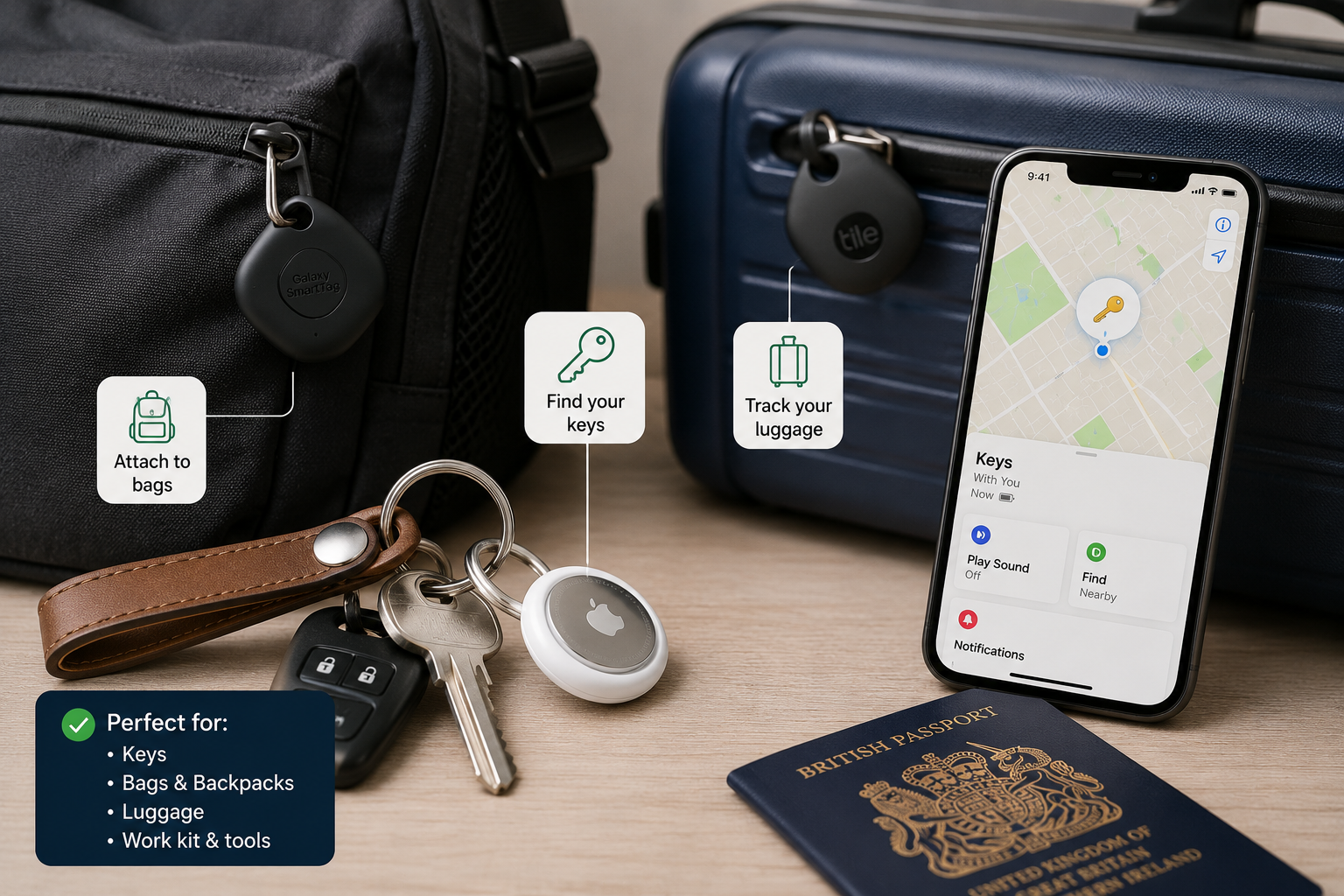
Apple’s AirTag 2nd generation technical specifications list IP67 water and dust resistance, Bluetooth for proximity finding, NFC tap for Lost Mode and a user-replaceable CR2032 battery.
Best for
Keys, bags, luggage, tool bags, camera bags, work kit.
Watch-outs
- Choose the tracker that fits your phone ecosystem.
- Do not put trackers on people without consent.
- Check battery type and replacement rules.
- Bluetooth trackers are not true GPS trackers.
Simple recommendation: iPhone users should usually start with AirTag. Samsung users should look at Galaxy SmartTag. Mixed households can compare Tile and other cross-platform options.
2. Universal travel adapter with USB ports: best for travel
If you travel outside the UK, a universal adapter is not optional. But a basic adapter is not enough anymore – you want one that also has multiple USB ports built in, so you are not wasting a socket on a separate charger.
Look for a universal adapter that covers:
- UK, EU (Type C/E/F), US (Type A/B), Australia/Asia (Type I) – all in one unit
- Two or more USB-A ports for older cables and accessories
- One or more USB-C ports for phones, tablets and newer laptops
- A built-in surge protector if possible
A good universal adapter lets you plug in your laptop, charge two phones and power a tablet simultaneously – from one wall socket, in almost any country.
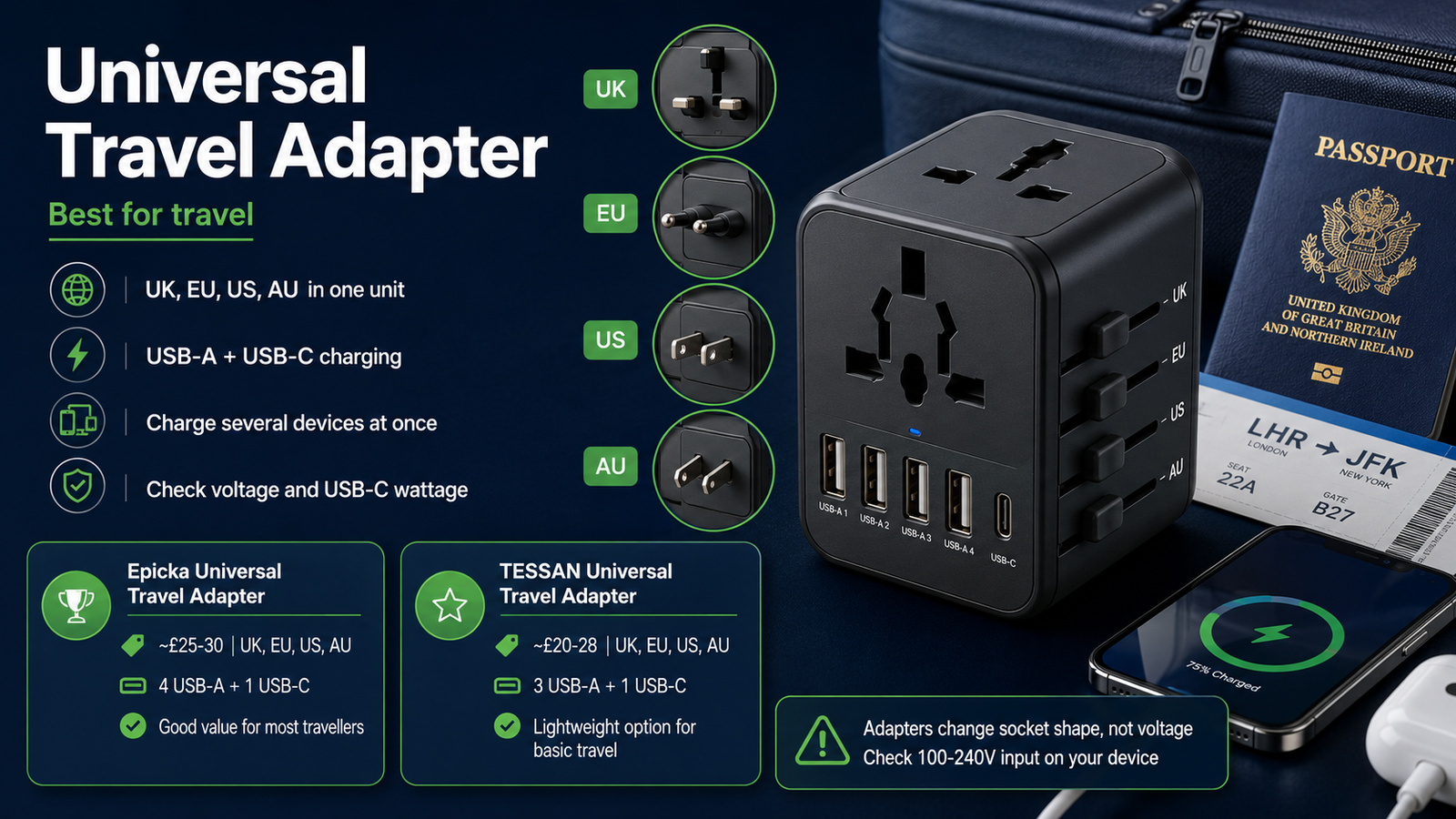
~£25-30 | UK, EU, US, AU
4 USB-A + 1 USB-C port. Works in 150+ countries. Compact design. Good value for most travellers.
~£20-28 | UK, EU, US, AU
3 USB-A + 1 USB-C port. Lightweight. Suits light travellers and commuters who need basic multi-socket coverage.
Watch-outs
- Universal adapters convert the socket shape, not the voltage. Check your device supports 100-240V input (most laptops and phone chargers do – it is printed on the charger brick).
- Do not plug high-wattage appliances (hair dryers, travel irons) into a travel adapter unless it is rated for them.
- Smart plugs are for home use only – they are not universal adapters.
- Check the USB-C port wattage. Some adapters only deliver 5W on USB-C, which is too slow for a laptop.
3. Power bank: best travel gadget under pressure
A power bank is not exciting until your phone is at 4%, your train is delayed and your ticket is on the app. Then it becomes the most important gadget you own.
For normal users, look for: 10,000mAh for everyday use, 20,000mAh for travel or heavy use, USB-C input and output, Power Delivery support, clear battery indicator, safe airline-friendly capacity.
Watch-outs
- Very cheap power banks may be slow or unreliable.
- Check airline battery limits before flying.
- Big capacity means more weight.
- Built-in cables are convenient, but harder to replace if they fail.
Simple recommendation: 10,000mAh is enough for most people. Choose 20,000mAh if you travel often or use your phone hard.
4. Kindle or e-reader: best anti-phone reading gadget
A Kindle separates reading from your phone. No WhatsApp. No email. No algorithm trying to feed you rage, football rumours and someone explaining pensions badly.
Amazon’s 2024 Kindle listing describes a 6-inch glare-free display, adjustable front light, dark mode, 16GB storage, USB-C charging and up to six weeks of battery life based on half an hour of reading per day with wireless off and the light setting at 13.
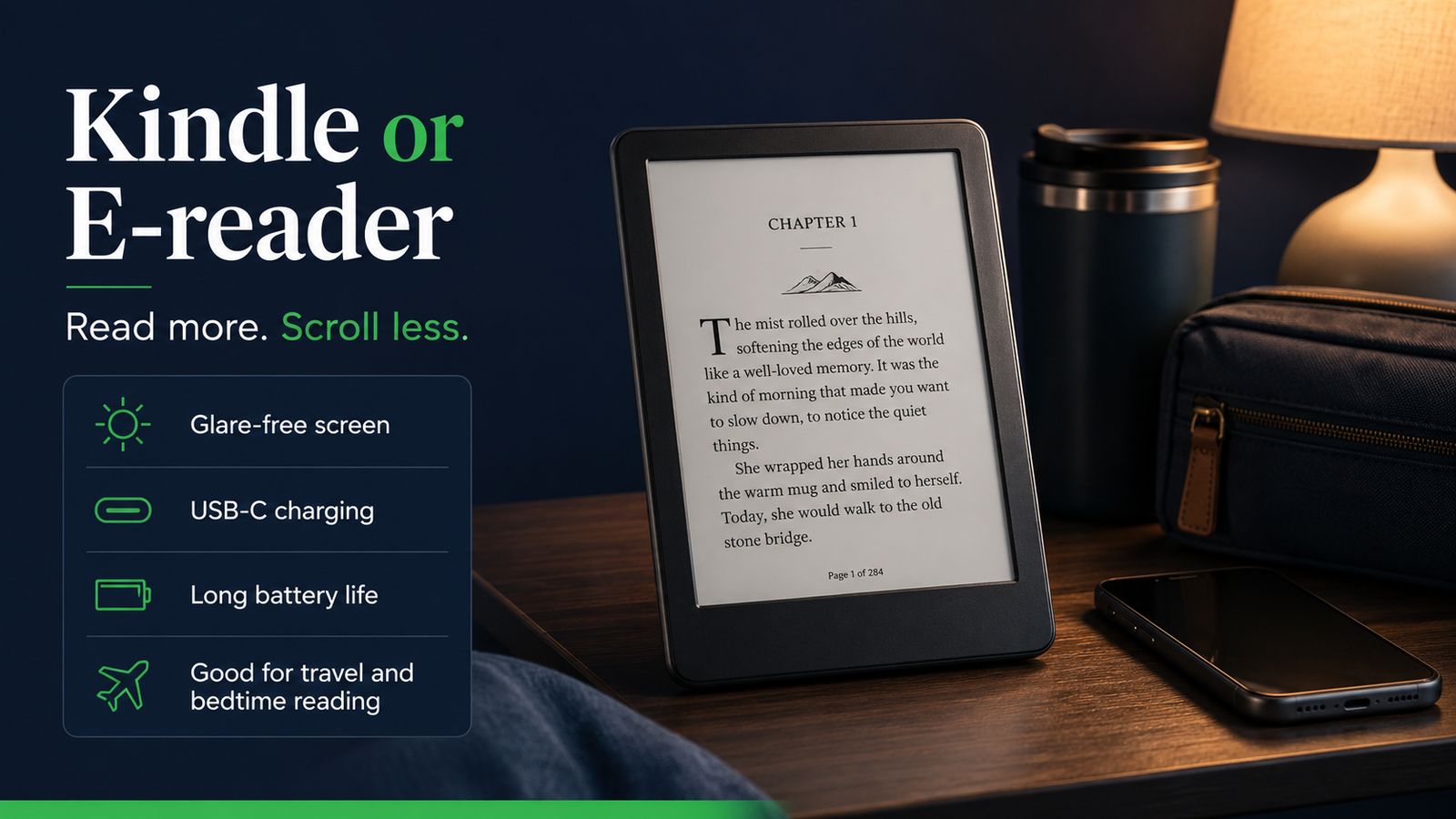
Best for
Reading more books, travel, commuting, bedtime reading, people trying to use their phone less.
Watch-outs
- If you do not read, a Kindle will not magically change your personality.
- Check whether you want the basic Kindle or Paperwhite.
- Some models come with ads unless you pay more.
Simple recommendation: if you want to read more and scroll less, an e-reader is one of the better gadgets you can buy.
5. Laptop stand: best cheap desk upgrade
A laptop stand raises the screen closer to eye level. Most laptops sit too low, which means you hunch forward, tilt your neck and spend the day slowly folding yourself into office origami.
To use it properly, you also need: external keyboard, external mouse, reasonable chair height, screen at a comfortable distance.
Simple recommendation: buy a solid adjustable stand, not the cheapest wobbly triangle you can find.
6. Ergonomic mouse: best if your hand hates your desk
For work, look for: comfortable shape, quiet buttons if you share space, Bluetooth or USB receiver support, good battery life, easy switching between devices, vertical design if wrist position matters to you.
Simple recommendation: if you work on a computer daily, a good mouse is not a luxury. It is a comfort tool.
7. Webcam light: best for video calls and content
If your video calls look bad, the camera may not be the problem – the lighting probably is. A small webcam light can make video calls look much better without buying a new webcam.
Look for: adjustable brightness, warm and cool colour temperature, USB power, clip or tripod option, soft light rather than harsh glare.
Simple recommendation: improve lighting before replacing your webcam.
Best gadgets by situation
| Situation | Best first gadget |
|---|---|
| You keep losing keys or bags | Smart tracker |
| You travel or commute often | Power bank and USB-C charger |
| You want to read more | Kindle or e-reader |
| You work from a laptop | Laptop stand, keyboard and mouse |
| Your video calls look poor | Webcam light |
| You want basic smart home control | Smart plug |
| You want fewer cables | Multi-port USB-C charger |
What not to buy
Be careful with: cheap unknown chargers, tiny novelty gadgets, smart home devices that need five different apps, fitness gadgets you will not wear, low-quality power banks with inflated capacity claims, anything that creates another subscription without solving a real problem.
The best gadget sometimes is not buying the gadget.
Gadget buying checklist
- Compatibility – does it work with your phone, laptop or smart home system?
- Battery – rechargeable, replaceable or sealed?
- USB-C – does it use modern charging?
- Warranty – what happens if it fails?
- App support – is the app still maintained?
- Reviews – are real users still happy after months?
- Repairability – can you replace batteries, cables or parts?
- Total cost – does it need accessories or subscriptions?
Simple ShireQuid recommendation
- Smart tracker for keys or bag.
- USB-C GaN charger for daily charging.
- Power bank for travel and commuting.
- Kindle if you want to read more.
- Laptop stand plus mouse if you work at a desk.
Key takeaway
Related articles
Sources
- Apple Support UK – AirTag 2nd generation technical specifications
- Apple Support UK – How to replace the battery in your AirTag
- Amazon UK – Kindle 2024 product details
Affiliate disclosure: This article may contain affiliate links. If you buy using our links, ShireQuid may receive a small commission at no extra cost to you.
Not technical or financial advice: ShireQuid is a UK content brand. Gadget prices, features, app support, warranty terms and compatibility change often. Check current product details, return policy and warranty before buying.
Written by Ryan, founder of ShireQuid.