


Productivity
Time Blocking for Busy UK Workers: How to Plan Your Week Without Turning Life Into a Spreadsheet
Time blocking is the practice of scheduling specific types of work into dedicated time slots on your calendar. It sounds obvious. Most people don’t do it. Here’s why it works and how to build the habit.
TL;DR
- Time blocking means booking time in your calendar for specific tasks – not just meetings.
- 90-minute deep work blocks work best for focused, cognitively demanding tasks.
- Theme your days if you can: Monday for planning, Tuesday–Thursday for execution, Friday for admin and reviews.
- Protect your peak hours. Schedule shallow work (emails, admin) for your low-energy windows.
- Time blocking doesn’t eliminate interruptions – it gives you a plan to return to when they happen.
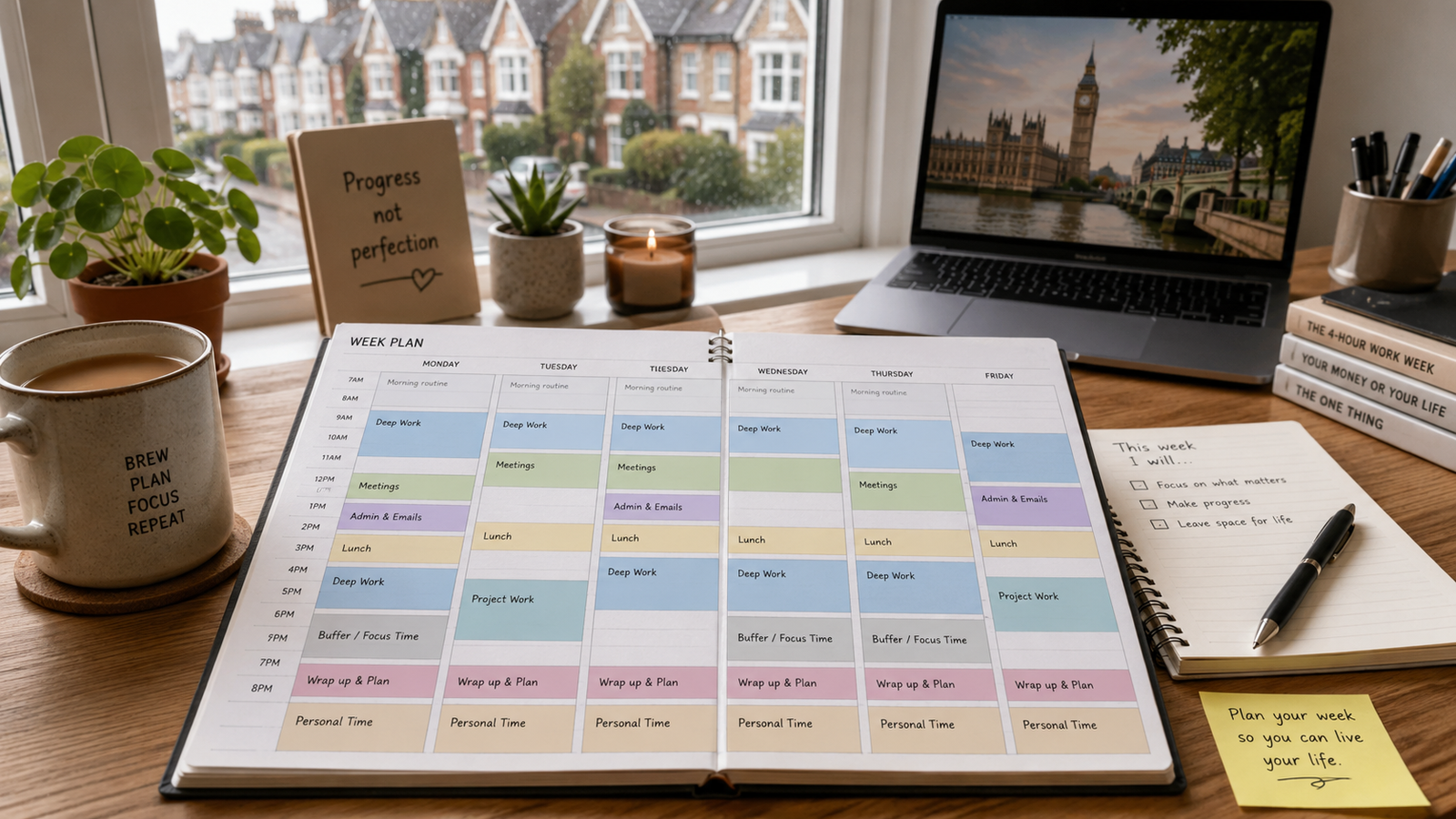
Why Your Calendar Is Currently Lying to You
Look at most workers’ calendars: a patchwork of meetings with empty space between them. That empty space looks like free time but functions as chaos – tiny windows too short for real work, interrupted constantly by notifications and colleagues.
Time blocking doesn’t mean ignoring your responsibilities. It means treating your own work with the same respect you’d give a meeting with your manager – it gets a slot, and that slot is protected.
The Building Blocks
Deep work block (90 min)
For high-focus tasks: writing, analysis, planning, coding. Phone off. Notifications silenced. One task only. Schedule during your peak energy hours (usually morning). Treat as non-negotiable.
Shallow work block (60 min)
Email, Slack, Teams, admin, scheduling. The stuff that needs doing but doesn’t require full concentration. Schedule in the afternoon or around meetings – it fits neatly in smaller gaps.
Meeting block
Group your meetings together rather than spreading them across the day. Back-to-back meetings are less draining than meetings with 30-minute gaps (too short to do real work, too long to just wait).
Buffer block (30 min)
A gap between major blocks – not for work, for transitions. Check messages, grab water, prepare for the next block. Running blocks right up against each other creates pressure that eventually breaks the system.
Day Theming: The Bigger Picture
For those with enough calendar control, theming entire days is more powerful than blocking individual slots:
| Day | Theme | What this looks like |
|---|---|---|
| Monday | Planning & review | Weekly priorities, team check-ins, catch-up on last week |
| Tuesday | Deep work | No meetings before noon, major project work |
| Wednesday | Collaboration | Meetings, calls, feedback sessions |
| Thursday | Deep work | Another protected day for output |
| Friday | Admin & wrap | Email, loose ends, planning next week |
Most UK workers can’t control their calendar this completely. But even one or two themed days per week makes a difference – start by protecting Tuesday morning, then expand from there.
How to Start Time Blocking
Identify your peak hours
When do you do your best thinking? Most people are sharpest in the first 2–3 hours of their workday. That’s your deep work window.
Block before others book you
Add “Deep Work” blocks to your calendar at the start of each week. Other people scheduling meetings will see you’re busy. You decide whether to move the block or decline the meeting.
Set up batch email/Slack times
Check messages at 9am, 1pm, and 4:30pm. Not constantly throughout the day. This is the single change that creates the most focused time without changing your schedule at all.
Review and adjust weekly
On Friday, look at the week. Which blocks held? Which got sacrificed? Adjust next week’s blocks accordingly. It takes 2–3 weeks to find a configuration that works for your specific role.
Do
- ✓ Put your top task in your first deep work block
- ✓ Communicate your system to your team
- ✓ Leave buffer between blocks
- ✓ Review and update every Friday
Don’t
- ✗ Block so tightly there’s no room for the unexpected
- ✗ Put email in your best focus window
- ✗ Give up after one interrupted week
- ✗ Over-engineer the system with colour codes and categories
What if my manager or team keeps booking into my blocks?
Have the conversation. “I block that time for deep work – is there another slot?” Most managers respect it when you explain. Some won’t. In that case, protect smaller windows: even 60 minutes of blocked time makes a difference.
Does time blocking work for creative jobs?
Yes – arguably more so. Creativity requires extended uninterrupted time. Time blocking forces you to create the conditions for it rather than waiting to “feel inspired” in an inbox-checking session.