


Tech
Best PCs and Laptops for UK Buyers in 2026: What to Buy Without Wasting Money
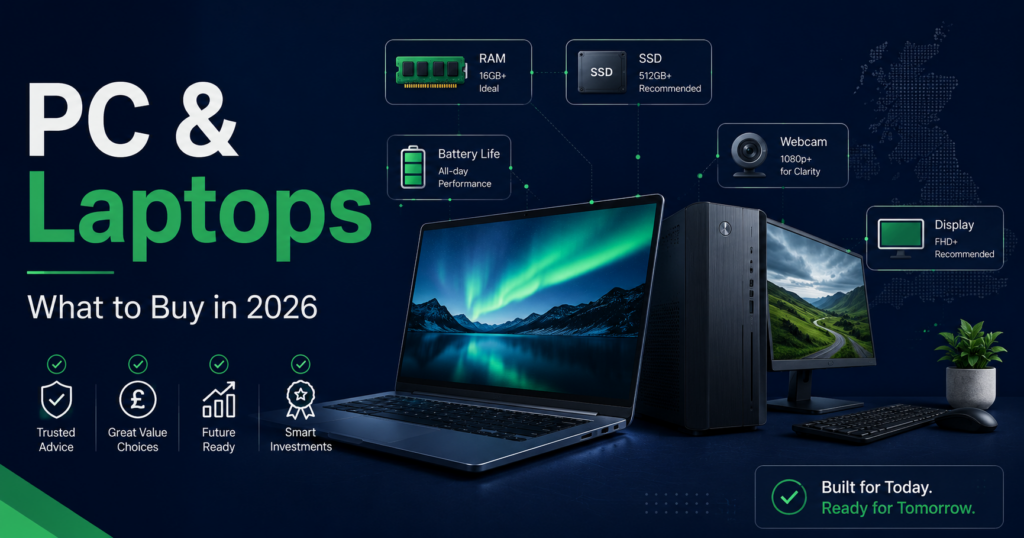
- Buy at least 16GB RAM and 512GB SSD if the budget allows
- Avoid old Windows 10-only machines – end of support was October 2025
- MacBook Air M4 is one of the safest choices for students, writers and everyday users
- Windows laptops offer more choice, better gaming and wider price ranges
- Copilot+ PCs are promising but do not buy one only for the AI label
- Gaming laptops are powerful but heavy, hot and often have weak battery life
- Desktop PCs still win for home performance, upgrades and value
Buying a laptop in 2026 should be easy. It is not.
You open one retailer page and suddenly you are staring at Intel Core Ultra, AMD Ryzen AI, Snapdragon X, Apple M4, Copilot+ PC, OLED screens, LPDDR5X memory and a “limited-time deal” that has apparently been limited since February.
Here is the truth: most people do not need the most powerful laptop. You need the right machine for your real work – browsing, email, Office, banking, blogging, video calls, AI tools, photo editing, gaming, coding or running a small business.
First: Do Not Buy the Wrong Operating System
Microsoft ended Windows 10 support on 14 October 2025. A cheap old Windows 10 laptop is not a bargain – it is tomorrow’s security problem with a discount sticker.
For most UK buyers in 2026, the safe choices are Windows 11, macOS (Apple silicon), ChromeOS for very simple use, or Linux if you know what you are doing. If a used laptop cannot officially run Windows 11, be careful.
Which Computer Should You Buy?
| Buyer type | Best choice | Watch-out |
|---|---|---|
| Everyday user | Windows 11 laptop or MacBook Air | Do not buy 8GB RAM unless budget is very tight |
| Student | MacBook Air, Windows ultrabook or Chromebook | Check course software requirements first |
| Office worker | Windows laptop with 16GB RAM and good webcam | Cheap screens and poor keyboards get annoying fast |
| Creator | MacBook Air/Pro or Windows creator laptop | Storage fills quickly |
| Gamer | Gaming laptop or desktop PC | Battery life and noise |
| Small business | Business laptop or compact desktop | Do not buy consumer junk for business-critical work |
| Home office | Desktop PC or laptop plus monitor | Budget for monitor, keyboard, mouse and dock |
The Minimum Specs to Buy in 2026
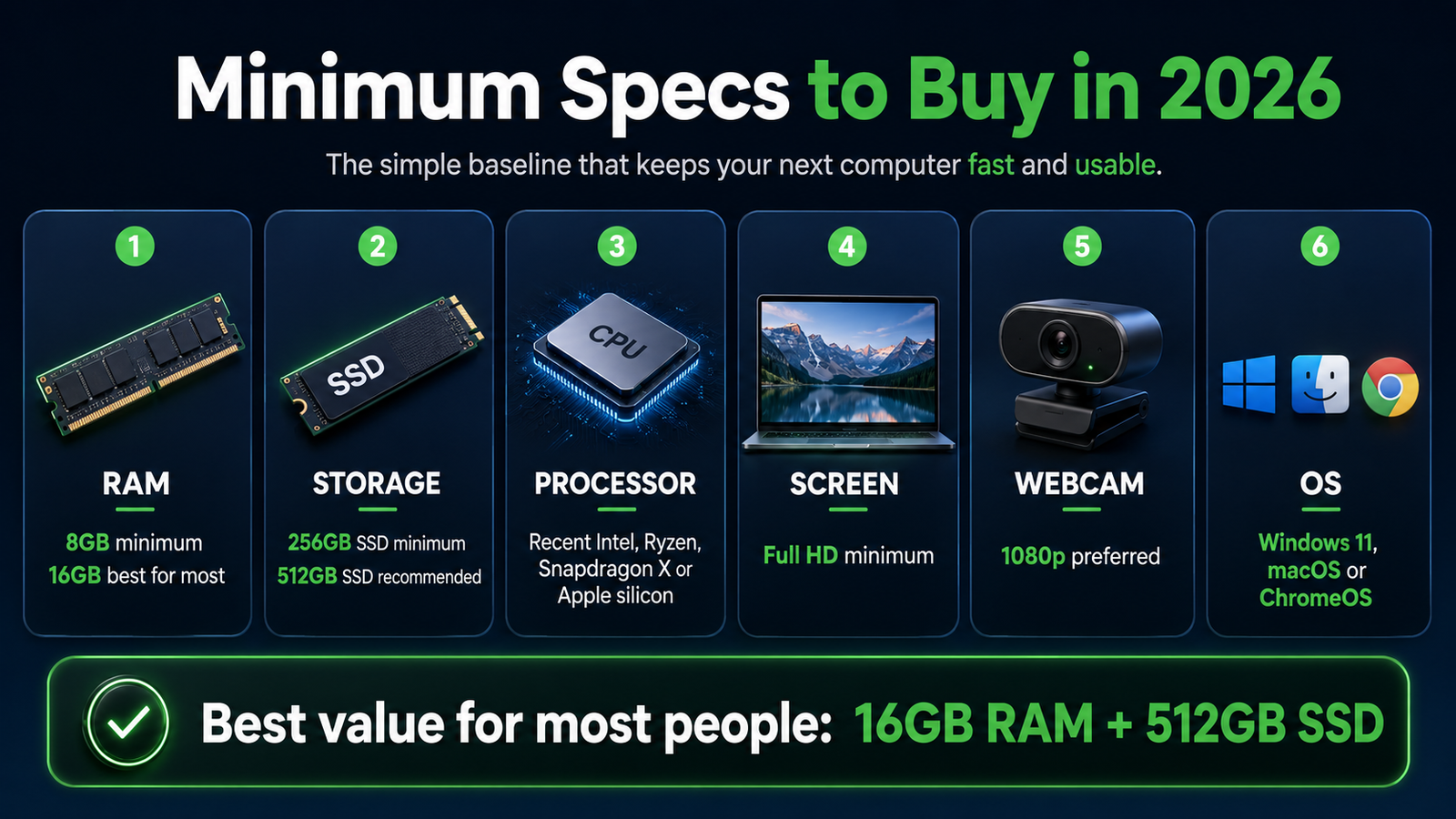
| Part | Minimum | Better choice |
|---|---|---|
| RAM | 8GB (very basic use only) | 16GB for most people |
| Storage | 256GB SSD | 512GB SSD or more |
| Processor | Recent Intel Core, AMD Ryzen, Snapdragon X or Apple M-series | Current-gen chip if budget allows |
| Screen | Full HD | Better brightness and colour if you work long hours |
| Webcam | 720p if unavoidable | 1080p or better |
| Ports | USB-C plus enough for your needs | USB-C, HDMI or Thunderbolt depending on setup |
| OS | Windows 11, macOS or ChromeOS | A platform with years of updates ahead |
MacBook Air M4
The MacBook Air M4 starts at £999 in the UK with 16GB unified memory, up to 18 hours battery, a 12MP Centre Stage camera, support for two external displays, and Apple Intelligence. One of the easiest laptops to recommend for students, writers, bloggers, everyday users and light creators.
- Excellent battery life
- Quiet fanless design
- Good keyboard and trackpad
- Long macOS support and good resale value
- Works well with iPhone, iPad and AirPods
- Storage upgrades are expensive – buy enough upfront
- Not ideal for serious gaming
- Some specialist Windows software may not run properly
- Only choose 256GB if you are disciplined with cloud storage
Windows Ultrabooks
A good Windows ultrabook is still the best choice for many people. More brands, more screen sizes, more ports, more price ranges and better compatibility with Windows software. Look at Dell, Lenovo, HP, ASUS, Acer, Samsung and Microsoft Surface.
Good specs for most users: Intel Core Ultra or AMD Ryzen AI, 16GB RAM, 512GB SSD, 13-15 inch screen, 1080p webcam, USB-C charging. Best for office workers, business users, students with Windows-only software and Microsoft 365 heavy users.
Copilot+ PCs
Copilot+ PC is Microsoft’s label for Windows 11 machines with an NPU capable of 40+ TOPS for on-device AI. Qualcomm Snapdragon X, AMD Ryzen AI 300 and Intel Core Ultra 200V all qualify.
Long battery life (especially Snapdragon X), modern Windows AI features, usually 16GB RAM minimum. A solid choice if you want a laptop that feels current for the next few years.
AI features are not a reason by themselves to overspend. Windows on Arm still has some app compatibility gaps. Intel/AMD versions safer for maximum Windows compatibility.
Gaming Laptops
Gaming laptops are powerful. But they are not always practical everyday machines.
| Good for | Watch-outs |
|---|---|
| Gaming | Shorter battery life |
| Video editing | More heat and fan noise |
| 3D work | Heavy chargers |
| GPU-heavy AI tasks | Bulky design |
| Portable power users | Overkill for normal office work |
Desktop PCs
Laptops are convenient. Desktops are still better when you want power, cooling, ports and upgradeability.
A desktop makes sense if you work mostly from one place, want a large monitor, edit video or photos, game seriously, want easy upgrades, or already have a proper desk setup.
- Better performance per pound
- Easier repairs and upgrades
- More ports and better cooling
- Longer useful life if maintained
- Needs monitor, keyboard, mouse and desk space
- No portability
- Pre-built gaming PCs can have weak power supplies
- Mini PCs may be harder to upgrade
Chromebooks
Chromebooks work well for web browsing, Google Docs, Gmail, YouTube, school work and basic admin. Usually cheaper and simpler than Windows laptops. Do not buy one if you need full Windows software, specialist apps, PC games, local accounting software or advanced creative tools.
Used and Refurbished Laptops
Business laptops – ThinkPads, Dell Latitudes, HP EliteBooks – can be solid used buys. Before buying, check: Windows 11 compatibility, battery health, SSD size, RAM, screen condition, keyboard wear, charger included, warranty, and return policy.
A cheap old laptop with weak battery, 8GB RAM, 128GB storage and no Windows 11 support is not a bargain. It is an argument waiting to happen.
Where to Buy
| Retailer | Best for | Watch-out |
|---|---|---|
| Amazon | Price checking, fast delivery | Check seller carefully, warranty terms |
| Currys | See in person, easy returns | Not always lowest price |
| John Lewis | Warranty and customer service | Fewer configurations |
| Apple/Microsoft direct | Official config, education discounts, trade-ins | Check delivery times |
| Manufacturer direct | Dell, Lenovo, HP, ASUS discounts | Check delivery and warranty options |
Before You Buy: Checklist
Simple ShireQuid Recommendations
- Most people: Windows 11 laptop, 16GB RAM, 512GB SSD
- Apple users: MacBook Air M4 with enough storage for your needs
- Office and business: Dell Latitude, Lenovo ThinkPad or HP EliteBook
- Creators: MacBook Air/Pro or Windows creator laptop with better screen and RAM
- Gaming: gaming desktop if you stay at home, gaming laptop if you need portability
- Simple browsing: Chromebook if you truly only need web and Google apps
- Home office: laptop plus external monitor, or desktop PC
Common Questions
For very basic use – browsing, email, documents – 8GB still works. For anything more, it becomes a bottleneck quickly. 16GB is the safer choice for most people.
MacBook Air M4 if you want excellent battery, a quiet machine, and mainly use web, documents and creative apps. Windows if you need more software compatibility, gaming or more hardware choice.
If you want a modern Windows laptop with strong battery and future AI features, yes. If you just need a reliable everyday machine, any good Windows 11 laptop with decent specs works fine without the Copilot+ label.
Yes, if you check carefully. Business-grade refurbished ThinkPads, Latitudes and EliteBooks can be excellent value. Check Windows 11 compatibility, battery health, SSD size and return policy.
When you mostly work from one location, want more performance per pound, edit video or photos, game seriously, or want easier future upgrades.
Disclaimer: ShireQuid provides educational content only. PC and laptop prices, specifications, warranty terms and software support change often. Always check current product details before buying. Some links may be affiliate links where ShireQuid earns a small commission at no extra cost to you.